
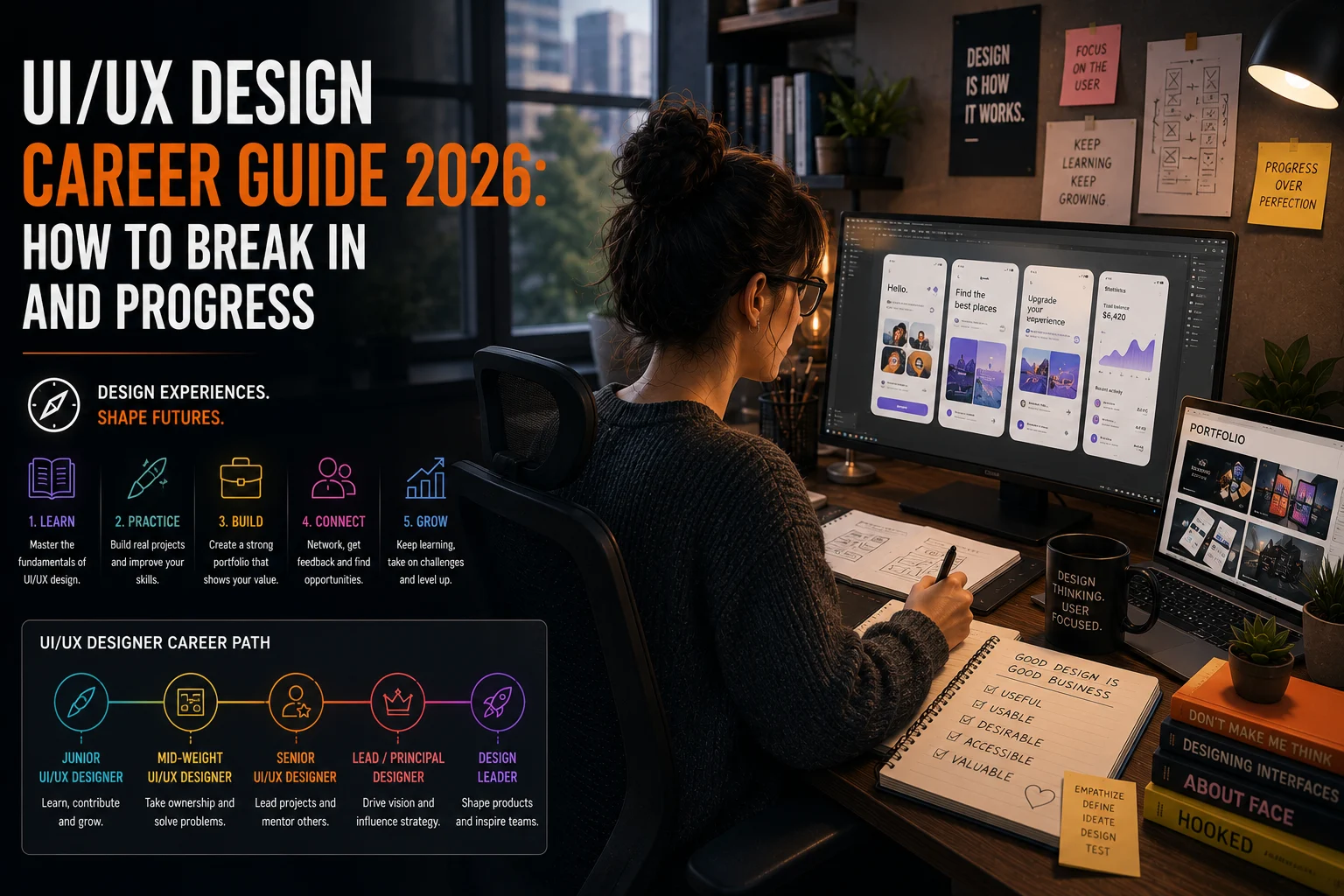
UI/UX design is one of the fastest-growing and most consistently in-demand disciplines in the creative industry. As digital products have become central to how people work, shop, communicate, and play, the demand for skilled interface and experience designers has expanded dramatically — across technology companies, games studios, agencies, and every sector in between. In 2026, a UI/UX design career offers strong compensation, genuine creative challenge, and a level of job market stability that few other creative disciplines can match.
This guide covers everything you need to know to build a career in UI/UX design — from understanding the difference between UI and UX, to the skills and tools you need, how to build a portfolio, and what the career path looks like from junior to senior. If you are ready to explore current opportunities, browse UI/UX designer jobs on PixelCareer.
UI vs UX — Understanding the Difference
UI and UX are frequently used together — and frequently confused. Understanding the distinction between them is the foundation of building a coherent career in either or both disciplines.
UX — User Experience Design is concerned with how a product works. UX designers research how users interact with a product, identify problems and friction points, develop information architecture and user flows, and test solutions through prototyping and user research. UX design is fundamentally about problem-solving — understanding what users need and designing systems that meet those needs effectively.
UI — User Interface Design is concerned with how a product looks. UI designers translate UX wireframes and flows into visual designs — applying colour, typography, iconography, spacing, and interaction design to create interfaces that are both aesthetically strong and functionally clear. UI design sits at the intersection of graphic design and interactive design.
In practice, many roles — particularly at smaller studios and agencies — combine both disciplines under the UI/UX or Product Designer title. Larger organisations, particularly technology companies, tend to separate the roles more clearly, with dedicated UX researchers, UX designers, and UI designers working collaboratively.
The Skills You Need for a UI/UX Career
UI/UX design requires a blend of research, analytical, and visual skills that is somewhat unusual among creative disciplines. The specific skills that matter most depend on whether you are pursuing a UX-focused or UI-focused path — but the following are broadly valuable across both.
Core UX Skills
User research: The ability to plan and conduct user research — interviews, surveys, usability tests, and contextual inquiry — is foundational to UX design. Understanding what real users actually need, rather than what stakeholders assume they need, is what makes UX design valuable. Strong user research skills include both qualitative methods — interviews and observation — and quantitative methods — analytics analysis and survey design.
Information architecture: Organising content and functionality in ways that make sense to users requires a clear understanding of how people navigate digital systems. Information architecture skills include site mapping, navigation design, and content hierarchy.
Wireframing and prototyping: Translating user needs and business requirements into low-fidelity wireframes and interactive prototypes is the core deliverable of most UX design work. Tools like Figma, Sketch, and Adobe XD are the industry standards for this work.
Usability testing: Designing and conducting tests that evaluate how effectively real users can complete tasks with a product is a critical skill for validating design decisions and identifying problems before launch.
Core UI Skills
Visual design fundamentals: Typography, colour theory, layout, and visual hierarchy are the foundations of strong UI design. UI designers who lack a solid grounding in visual design principles produce interfaces that function adequately but feel amateur.
Design systems: Building and maintaining design systems — the libraries of components, styles, and patterns that ensure visual and functional consistency across a product — is one of the most valued skills in UI design at mid-level and above. Proficiency in Figma’s component and variant systems is effectively a requirement for most senior UI roles.
Interaction design: Understanding how users interact with digital interfaces — hover states, transitions, micro-animations, error states, and loading patterns — and designing those interactions to feel clear, responsive, and satisfying is a distinct skill that separates good UI designers from excellent ones.
Motion and animation: As interfaces have become more sophisticated, the line between UI design and motion design has blurred. UI designers who understand animation principles and can design meaningful micro-interactions are significantly more valuable than those who produce only static designs.
Essential Tools for UI/UX Designers in 2026
Figma is the dominant tool for UI/UX design in 2026 — used for wireframing, high-fidelity design, prototyping, and design system management. Proficiency in Figma is effectively a baseline requirement for most UI/UX roles. Its collaborative features, component system, and plugin ecosystem make it the professional standard across the industry. Find comprehensive Figma learning resources at Figma’s official learning hub.
Adobe XD remains in use at some organisations, though it has lost significant market share to Figma and is no longer receiving major updates. Familiarity with XD is useful but not a priority investment compared to Figma.
Maze, UserTesting, and Lookback are commonly used for remote usability testing and user research. Familiarity with at least one research and testing platform is valuable for UX-focused roles.
Miro and FigJam are widely used for collaborative workshop facilitation, journey mapping, and collaborative design thinking exercises. These tools are particularly important for UX designers who work with cross-functional teams.
Principle, ProtoPie, and Framer are used for advanced interaction prototyping that goes beyond Figma’s built-in prototyping capabilities. Motion-heavy interfaces and complex interaction designs often require these more specialised tools.
Building a UI/UX Portfolio
A UI/UX portfolio is fundamentally different from an animation or VFX portfolio. Rather than a showreel of polished output, a UX portfolio is a collection of case studies — documented stories of design problems, the process you followed to solve them, and the outcomes of your work.
A strong UI/UX portfolio typically includes three to five case studies, each covering:
- The problem: What was the design challenge? What user need or business objective were you addressing?
- Your process: How did you approach the problem? What research did you conduct, what frameworks did you use, what constraints did you work within?
- Your decisions: What design decisions did you make and why? What alternatives did you consider and why did you choose your approach?
- The outcome: What was the result of your work? Did it achieve the intended objectives? What did you learn?
- Your specific contribution: If the work was collaborative, what was your specific role and contribution?
The process and decision-making sections are as important as the final designs. Hiring managers for UX roles want to understand how you think, not just what you produced. Beautiful final screens with no documented process tell a reviewer very little about your actual design capabilities.
For UI-focused portfolios, visual quality and design system depth matter more. Include high-fidelity screens, component documentation, and — where possible — live or interactive prototypes that demonstrate your interaction design thinking.
The UI/UX Career Path
Junior UI/UX Designer (0–2 years): At junior level, you are learning how design processes work in practice, producing work under the direction of more senior designers, and building your understanding of the tools and methods used in professional practice. Junior roles typically involve contributing to defined components of larger design projects rather than owning entire products or features.
Mid-Level UI/UX Designer (2–5 years): At mid-level, you take ownership of features or products, conduct your own research, make design decisions independently, and present your work directly to stakeholders. You are expected to manage your own workload and contribute meaningfully to team discussions about design strategy.
Senior UI/UX Designer (5+ years): Senior designers lead complex design challenges, mentor junior team members, define design systems and processes, and operate as strategic partners to product managers and engineering leads. They are expected to make significant autonomous creative decisions and to advocate effectively for user needs in multi-stakeholder environments.
Lead and Principal Designer: At lead level, designers manage teams, define design direction across entire products or platforms, and are responsible for the quality and consistency of design output across their area. Principal designers often have cross-product or company-wide influence on design standards and practices.
Head of Design / Design Director: These roles carry responsibility for the entire design function within an organisation — team leadership, hiring, process definition, and design strategy at the company level.
UI/UX in the Games Industry
UI/UX design in the games industry is a specific and growing specialisation. Game UI designers create the interface systems that allow players to navigate menus, track game state, manage inventory, and interact with the game world — while UI/UX designers on games products design the app and platform experiences surrounding those games.
Games UI design requires a strong understanding of both traditional UI design principles and the specific conventions of game interface design — heads-up display design, diegetic UI, scalability across multiple display sizes and distances, and designing for interaction modes from controller to touchscreen to mouse and keyboard.
If you are interested in UI design specifically within the games industry, building a portfolio that includes game UI concepts alongside product design work significantly strengthens your positioning for studio roles. Browse UI/UX and game UI designer roles on PixelCareer.
Frequently Asked Questions
Do I need a degree to become a UI/UX designer?
No — many successful UI/UX designers are self-taught or completed short bootcamp programmes. What matters most to employers is the quality of your portfolio and your ability to demonstrate a coherent design process. That said, a strong degree in design, human-computer interaction, psychology, or a related field can provide a useful foundation and is valued at some larger organisations.
Is coding necessary for UI/UX designers?
Coding is not required for most UI/UX roles, but a basic understanding of HTML, CSS, and how interfaces are implemented is genuinely valuable. It helps you design solutions that are feasible to build, communicate more effectively with developers, and understand the constraints and opportunities of the medium you are designing for. Designers who can write basic front-end code — or who are comfortable in no-code tools like Webflow or Framer — are increasingly valued.
What is the average UI/UX designer salary?
UI/UX design is one of the better-compensated creative disciplines. In the United States, junior designers typically earn $55,000 to $80,000, mid-level designers earn $80,000 to $115,000, and senior designers earn $115,000 to $160,000 or more at major technology companies. UK salaries run broadly from £28,000 to £80,000 across the same experience range.
What is the difference between a UI designer and a product designer?
Product designer is a title that has largely replaced UI/UX designer at many technology companies, particularly in the United States. In practice, the product designer role typically encompasses both UI and UX responsibilities — research, wireframing, high-fidelity design, and prototyping — with an additional emphasis on understanding product strategy and business metrics alongside user needs.
Is UI/UX design a good career for creative people?
UI/UX design is an excellent career for people who combine visual creative ability with analytical thinking and genuine curiosity about human behaviour. It offers strong compensation, consistent demand across a wide range of industries, and the satisfaction of creating products that real people use every day. The discipline rewards both right-brain creative instincts and left-brain problem-solving capability in roughly equal measure.
Final Thoughts
UI/UX design is one of the most dynamic and rewarding career paths available to creative professionals in 2026. The combination of visual design, research, and strategic thinking it requires makes it genuinely challenging — and the breadth of industries and product types it spans means there is always something new to work on and learn from.
Build a portfolio grounded in documented process, develop deep proficiency in Figma, and stay engaged with the UX community through platforms like Dribbble, Behance, and the Nielsen Norman Group. The demand for skilled UI/UX designers continues to grow — and the barrier to entry, while real, is lower than in many other creative disciplines.
Ready to find your next UI/UX design role? Browse UI/UX designer jobs on PixelCareer and discover current opportunities across games, tech, and creative agencies.